
AE Template
The After Effects Template contains a variety of compositions to aid in arranging content for delivery.
The template is composed of two main groups of of comps: Design Comps and Delivery Comps. Please refer to the diagrams and flowcharts below for more details.
The After Effects template file can be found in the Dropbox here. Please be sure to use the latest version.
Design Comps
Design Comps are used to arrange your content on a template that reflects the physical layout of the screens on stage. This comp then gets separated into two comps for the proscenium screens and the stage screens, and then further into individual comps for each screen. Please see flowchart at the bottom of this page for a visualization of the comp hierarchy leading to the Delivery Comps.

Delivery Comps
When you are ready to render for delivery, use the Delivery Comps, which rearrange the content in a way that is most efficient for playback and render times.
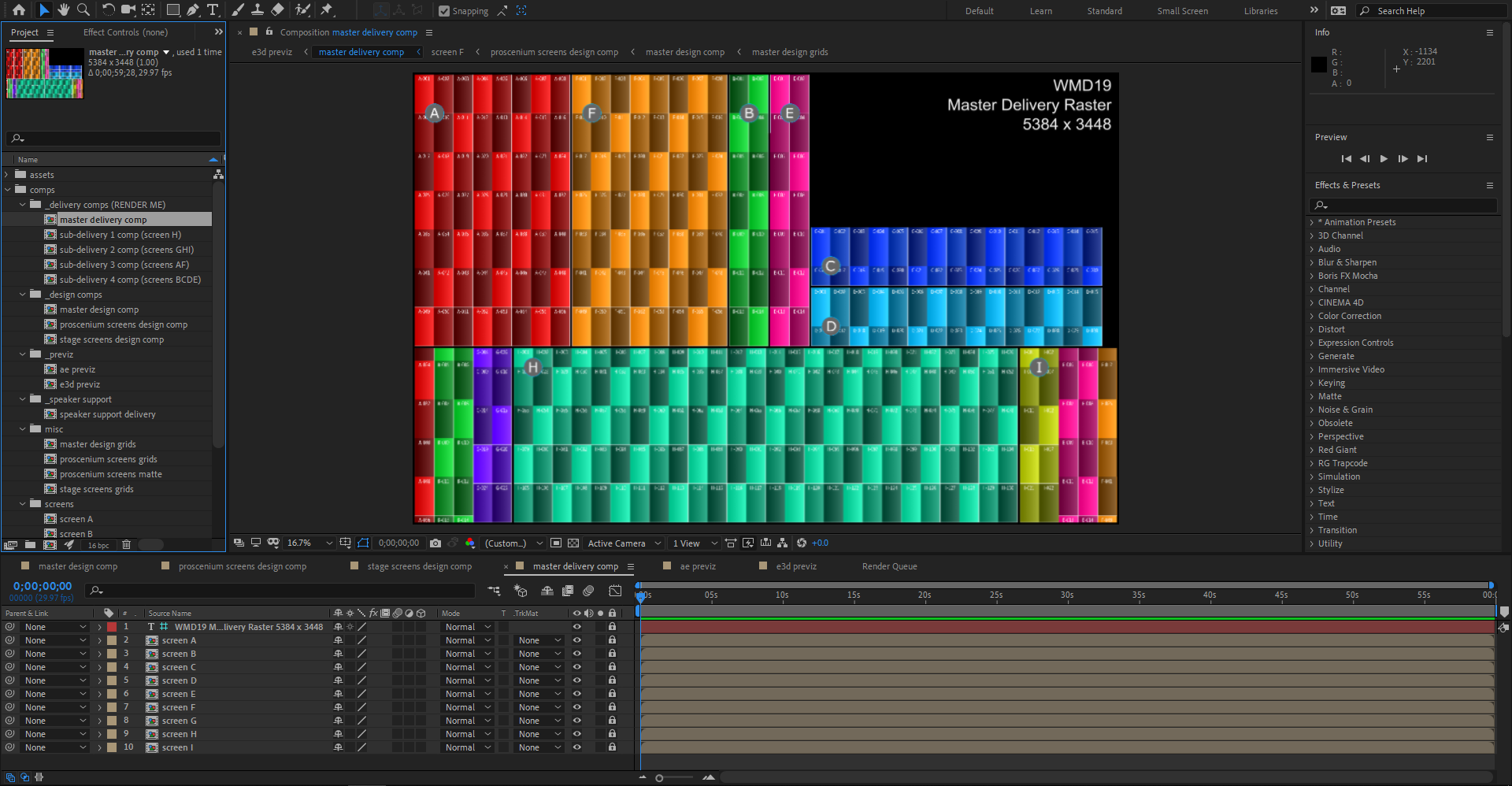
Sub-Delivery Comps
Additionally there are a number of Sub-Delivery Comps that can be used to deliver patches or updates to specific screens or groups of screens.

Previz
In order to use the Element 3D previz comp you will need an Element 3D license from Video Copilot. When the project is first launched the 3D model file will need to be re-connected inside of the Element 3D editor. The 3D model file can be found in the Dropbox in the ‘3D’ folder.
Alternatively, use the ‘ae previz’ comp for a 2.5D representation of the screens using After Effects’ native renderer. This method is more friendly with render farm setups.

AE Template Comp Flowchart
This diagram illustrates the comp heirarchy in the AE Master Template.
Content applied on comps further down the diagram will appear above content on comps higher on the diagram.
For example: an image placed on Screen A comp will appear over the top of content applied on the Master Design Comp.
